What your customer sees
Customer · 4 steps
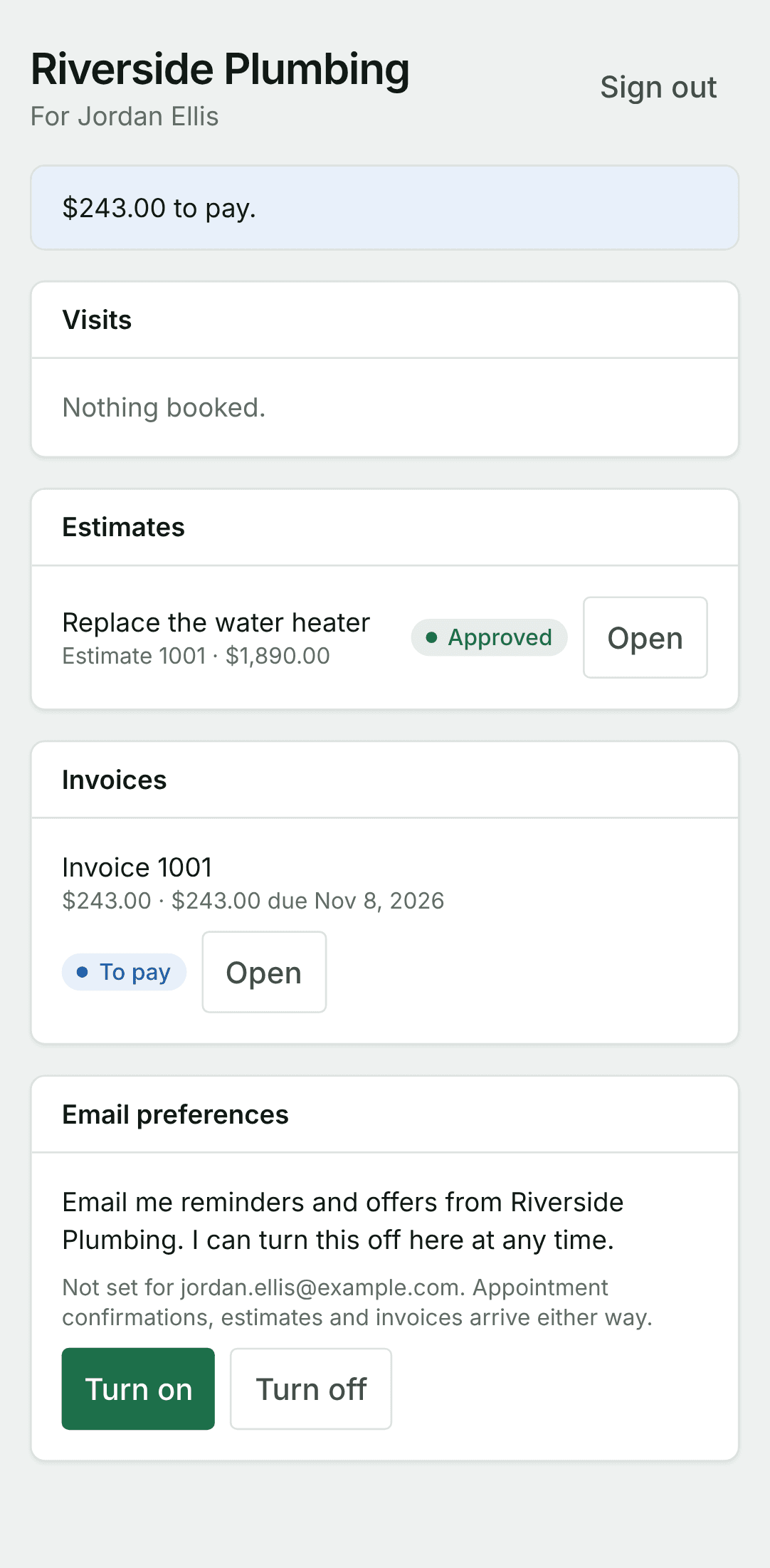
Your customer gets a link by text or email. It opens on their phone with no app and no password: the invoice and what is due, the estimate with its options to approve, and a page with everything from you.
1. The invoice, from its link
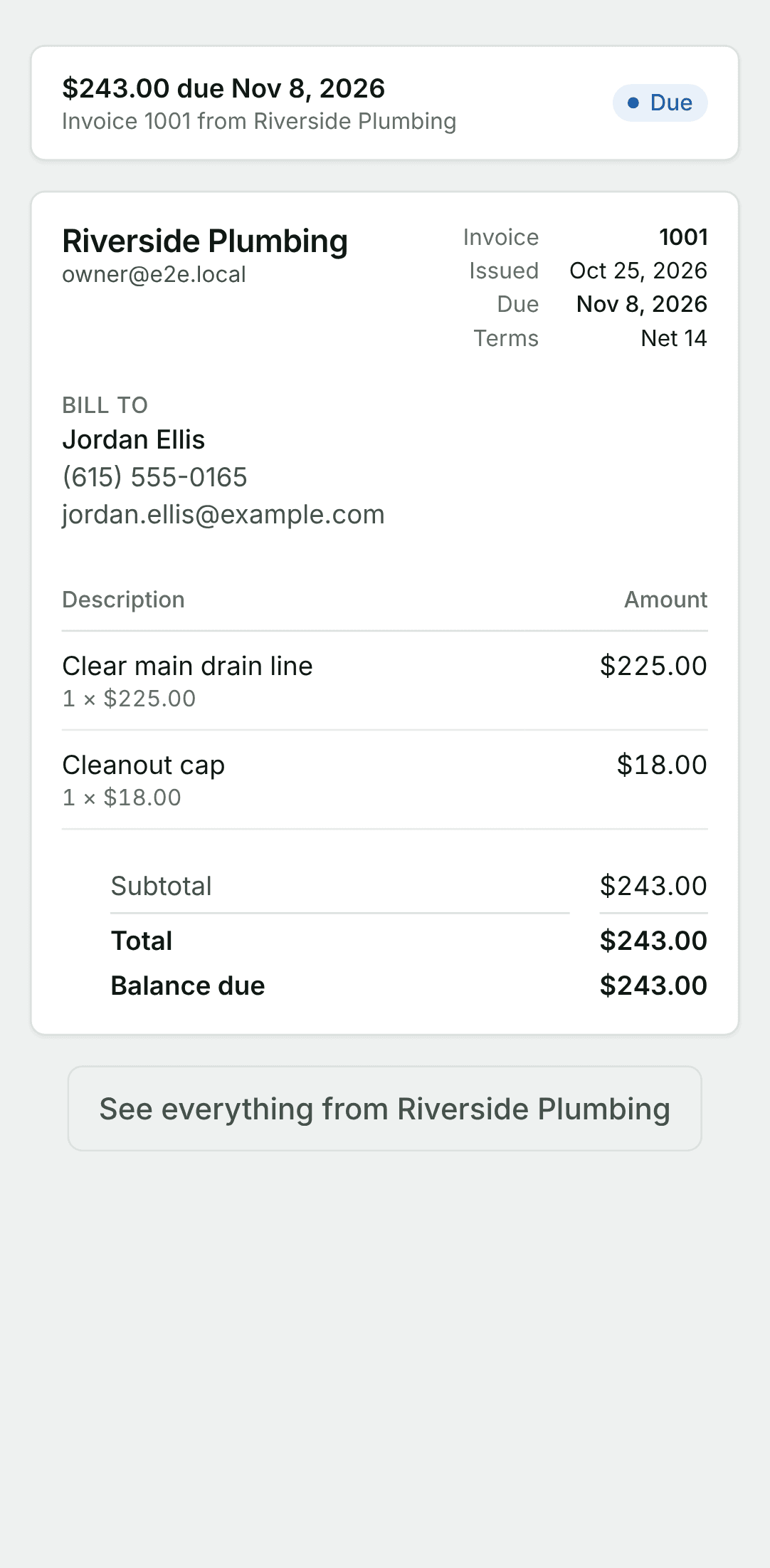
They tap the link you sent. The invoice opens with what is due and when, each line, and your business's name at the top.
2. The estimate, from its link
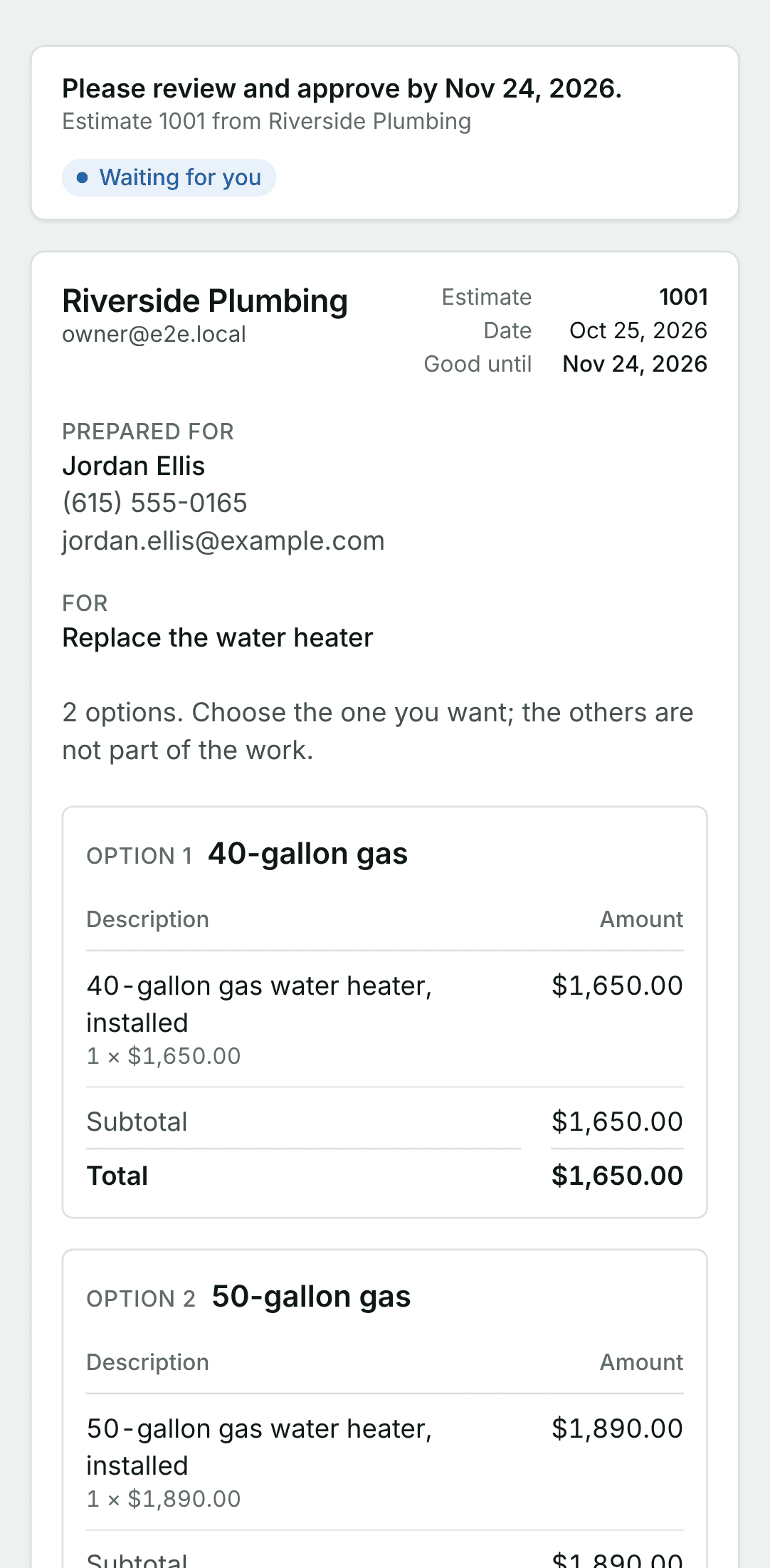
An estimate opens the same way. With more than one option, each is shown in full with its price, and they choose one.
3. Approve it
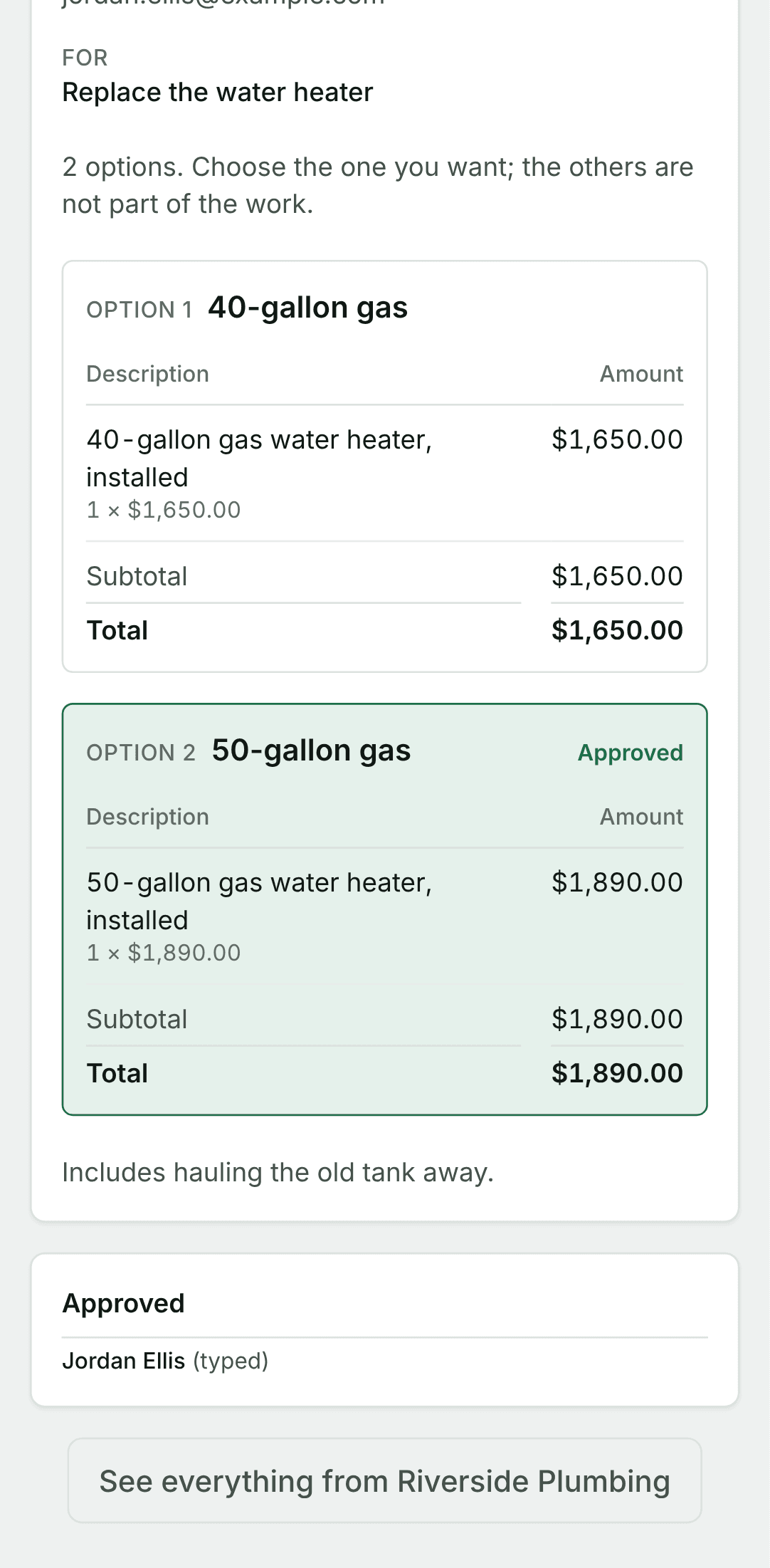
They pick an option, type their full name, sign with a finger or with their typed name, and tap Approve. You are told at once, and the estimate shows as approved on both sides.
4. Everything from you, in one place
From any invoice or estimate they can tap See everything from your business. One page shows their visits, estimates, invoices and payments with you, and what is waiting for them.